 svtplay-dl
Aftonbladet
Login to aftonbladet, press ctrl + shift + i or F12, then press network tab. then go to the aftonbladet plus video, find the call ?access=plus in the network tab.
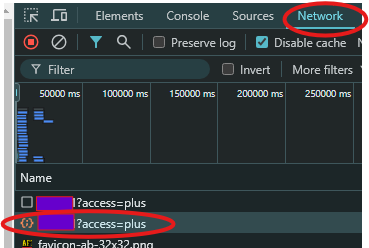
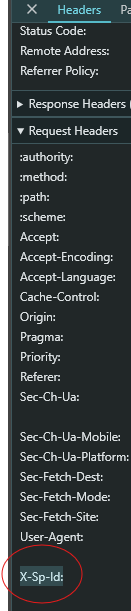
go to the request headers and scroll down to the header:x-sp-idCopy that text that starts with ey..
then you can use it like this:svtplay-dl --token "ey.." https://www.aftonbladet.se/..or use put it in the config like this for example
go to the request headers and scroll down to the header:x-sp-idCopy that text that starts with ey..
then you can use it like this:svtplay-dl --token "ey.." https://www.aftonbladet.se/..or use put it in the config like this for example
service:
  aftonbladet:
    token: "ey..."